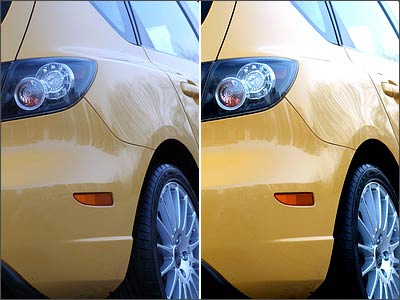
Even if you feel the exposure level is just right for your image, try playing around with the levels a bit in Photoshop and look at the difference.
Just open an image in Photoshop and press [Ctrl]+[Shift]+[L]. You will instantly notice a difference in the lighting and the colours of the image.
If you want a bit more control, you can adjust the brightness and contrast settings manually by going to Image > Adjustments > Brightness/Contrast. Move the sliders around until you're satisfied, and click OK.
Also Read: Get the best out of your digicam
 Advertisement